Native App vs Web View vs PWA: The Decision Factors That Actually Matter
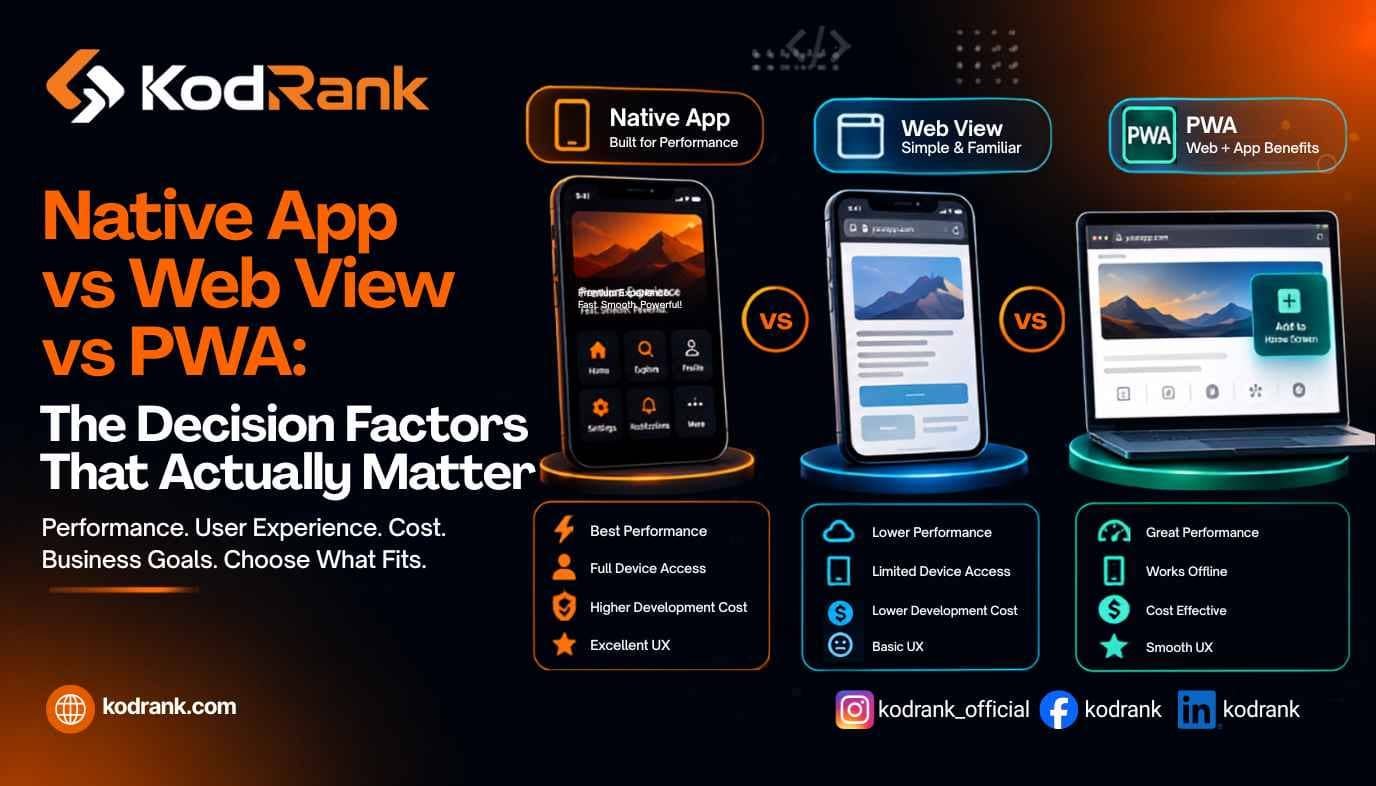
Choosing between a native app, a web view, and a PWA comes down to five things: how much device hardware you need, whether app store distribution is essential, your budget and timeline, how often you'll ship updates, and how much offline performance matters. Native wins on raw capability and store presence, PWAs win on cost, reach, and speed to market, and web views sit in the middle as a pragmatic shortcut. The rest of this guide shows you how to weigh each factor for your product — not a generic checklist.
Most "native app vs web view vs PWA" comparisons read like a spec sheet. That's not the hard part. The hard part is that all three can technically build the same product, so the real question isn't which is best — it's which trade-offs you can live with. Get that wrong and you either overspend by six figures on capability you'll never use, or you launch something that quietly frustrates users until they stop opening it.
Let's break down what each option really is, then walk through the decision factors that should drive the call.
Native App vs Web View vs PWA: What Each One Actually Is
Before comparing them, it helps to be precise, because these terms get thrown around loosely.
A native app is built specifically for a platform using its own tools and languages — Swift or SwiftUI for iOS, Kotlin or Jetpack Compose for Android. It's downloaded from the App Store or Google Play, installs on the device, and talks directly to the operating system. This is the "real app" most people picture. Cross-platform frameworks like React Native and Flutter also count here: they compile down to genuinely native components, so you write one codebase and ship two near-native apps.
A web view (often called a hybrid app) is a native shell wrapped around a web browser window. The app you download from the store is mostly a container; inside it, your actual product is a website rendered by the device's built-in browser engine (WebView on Android, WKWebView on iOS). Tools like Capacitor, Cordova, and Ionic popularized this approach. You get an app store listing and some access to device features through plugins, but the interface is web code.
A PWA (Progressive Web App) is a website built to behave like an app. It runs in the browser, but with a web app manifest and service workers it can be installed to the home screen, work offline, and — since iOS 16.4 in March 2023 — send push notifications on iPhone when added to the home screen. No app store, no download, no install friction. Users just visit a URL.
Here's the quick contrast:
| Factor | Native App | Web View (Hybrid) | PWA |
|---|---|---|---|
| Built with | Swift/Kotlin, or React Native/Flutter | Web code in a native wrapper | Standard web tech (HTML, CSS, JS) |
| Distribution | App Store & Google Play | App Store & Google Play | Any URL / browser |
| Device hardware access | Full | Good (via plugins) | Limited, improving |
| Offline capability | Excellent | Good | Good (with caveats on iOS) |
| Performance | Highest | Depends on the web layer | Good, browser-dependent |
| Typical cost | Highest | Medium | Lowest |
| Discoverable on Google | No | No | Yes |
| Update speed | Store review each time | Store review for shell changes | Instant, no review |
Now the part that actually decides it.
The Real Decision Factors
1. How Much Device Hardware Do You Genuinely Need?
This is the single most clarifying question. Not what's nice to have — what your core experience cannot exist without.
If your product depends on high-frame-rate graphics, augmented reality, Bluetooth or NFC hardware, advanced camera controls, background location tracking, or health-sensor data, you're looking at native. These are the workloads where the browser sandbox still can't compete, and a web view will feel like driving with the handbrake on.
If you need the camera, GPS, or push notifications, but in ordinary ways — scan a QR code, show a map, send a reminder — a PWA or web view covers it. Modern PWAs handle far more than people assume. The overestimation of "I'll need native features" is the most common reason teams overbuild.
Be honest here. A restaurant ordering app, a booking tool, a content platform, an internal dashboard, most e-commerce — none of these need native-grade hardware access.
2. Does App Store Presence Actually Matter for Your Business?
There are two sides to this, and they cut in opposite directions.
The store gives you a trust badge, a discovery surface, and access to features like in-app purchase flows users already know. For consumer products where "is there an app?" is a real question buyers ask, that presence has genuine marketing value. Both native and web view apps get it; PWAs don't.
But the store also gates you. Every update waits on review. Apple and Google take a 15–30% cut of in-app purchases and subscriptions for digital goods. And getting discovered inside a store crowded with millions of apps is its own expensive battle. A PWA sidesteps all of that — it lives on the open web, where it can rank in Google and be shared with a link.
So the question is really: is the app store a distribution channel you need, or a tax you're paying out of habit?
3. What's Your Budget and Timeline — Realistically?
Cost scales roughly the way you'd expect, but the gaps are wider than people plan for.
A native app often means two codebases (iOS and Android) unless you use React Native or Flutter — which is exactly why those cross-platform frameworks exploded in popularity. Even then, native carries the highest cost in specialist talent, testing across device fleets, and ongoing maintenance. If you want to understand the depth of expertise a full native build demands, our breakdown of the skills needed for modern web and app development lays out just how many disciplines are involved.
A web view is usually cheaper: one web codebase, thin native wrappers for each store. A PWA is typically the leanest of all — one build, one deployment, live everywhere instantly.
If you're a startup validating an idea, or a business that needs to be in market this quarter rather than next year, that cost-and-speed gap often makes the decision on its own. You can launch a PWA, prove demand, and then invest in native once the numbers justify it.
4. How Often Will You Ship Updates?
If your product changes weekly — new features, rapid experiments, frequent fixes — the app store review cycle becomes a real drag on native and web view apps. Every change to native code sits in a queue before users see it.
A PWA updates the moment you deploy. No review, no version fragmentation, no waiting for users to tap "update." For fast-moving products and teams that live by iteration, this alone tips the scales.
5. How Critical Is Offline and Poor-Connection Performance?
If your users are frequently offline — field workers, travellers, warehouse staff, transit riders — native gives you the most robust offline behaviour and background syncing. Web views and PWAs handle offline caching well, but iOS still imposes tighter limits on PWA storage and background tasks than Android does, so test against your real audience's devices.
For most consumer and business apps running on decent connections, all three are fine. This factor only becomes decisive at the edges.
6. Can It Be Found on Google? (The Factor Most Teams Forget)
Here's the one that quietly reshapes the whole decision for many businesses. Native and web view apps are invisible to search engines. Nobody Googles their way into your app — they have to already know it exists and go find it in a store.
A PWA is a website. It gets crawled, indexed, and can rank for the exact terms your customers are searching. That means your product and your marketing funnel are the same asset. For any business where organic search is a growth channel — and that's most of them — this is enormous. It's also why a PWA's technical foundation matters so much: speed, crawlability, and structured data determine whether it ranks at all, which is squarely the domain of technical SEO.
If discoverability drives your growth, a PWA isn't just cheaper — it's strategically better positioned. If your growth comes from paid acquisition, referrals, or an existing install base, this factor matters less.
A Simple Framework to Make the Call
Strip away the noise and it comes down to matching the option to your dominant constraint:
Choose a native app if your product lives or dies on device hardware, high-end performance, or deep OS integration — think AR experiences, fitness apps with sensor data, mobile games, or anything where a laggy interface kills the experience. Also choose native if app store presence and in-app purchases are central to how you make money.
Choose a web view if you already have a strong web product and mainly need a store listing without rebuilding everything natively. It's the pragmatic bridge: reuse your web codebase, get on the App Store and Google Play, and accept some performance trade-offs in exchange for speed and budget.
Choose a PWA if you want the widest reach for the lowest cost, need to move fast, want Google discoverability baked in, and don't depend on native-only hardware. This covers a huge share of real-world products: content sites, booking tools, e-commerce, SaaS dashboards, and anything where getting found and getting live quickly matters more than squeezing out the last 5% of performance.
And a note that saves teams a lot of money: these aren't permanent commitments. Many successful products start as a PWA to validate and grow, then build native later — funded by the traction the PWA created.
Common Mistakes That Cost Real Money
Building native "to be safe." Teams default to native for a sense of legitimacy, then spend triple the budget on capability the product never uses. Start from what you need, not what sounds impressive.
Ignoring SEO until launch. If you go PWA or web-first, search visibility is a design decision, not a post-launch add-on. Retrofitting it is slow and expensive — the same trap we see with e-commerce builds, which is why Shopify store speed and performance get engineered in from the start rather than patched later.
Underestimating maintenance. Two native codebases mean two things to maintain, test, and update forever. Factor the ongoing cost, not just the build.
Picking the platform before the strategy. The right architecture depends on how you'll grow, monetize, and update. Decide those first — the tech choice follows. The same principle applies to content platforms, which is exactly the reasoning behind our comparison of WordPress vs. headless CMS for SEO.
Where a Development Partner Comes In
The uncomfortable truth is that this decision is easy to get wrong from the inside, because it's tangled up in budget pressure, internal opinions, and whatever tech your current team happens to know. A good build partner starts with the business goal and then recommends the architecture — native, web view, or PWA — that actually serves it.
That's the approach behind KodRank's web design and development services: the platform decision is made in the strategy phase, before a line of code is written, so you're not paying to rebuild in six months. Whether the answer is a fast, SEO-ready PWA, a custom CMS-driven platform, a Shopify build, or a WordPress site, the right call is the one that fits how your business grows — not the one that's easiest to sell you.
Frequently Asked Questions
What is the main difference between a native app, a web view, and a PWA?
A native app is built with platform-specific code and installed from an app store with full device access. A web view is a native shell wrapping web content, giving you a store listing with a web-based interface. A PWA is a website that behaves like an app — installable, offline-capable, and discoverable on Google, with no app store required.
Is a PWA cheaper than a native app?
Generally, yes. A PWA is usually the lowest-cost option because it's a single web codebase deployed everywhere at once, with no app store fees and instant updates. Native apps cost the most due to platform-specific development, device testing, and ongoing maintenance across two ecosystems.
Can a PWA replace a native app?
For many products, yes — content platforms, booking tools, e-commerce, and dashboards run well as PWAs. It can't replace native for products that depend on heavy graphics, AR, advanced hardware, or deep OS integration. A common strategy is launching as a PWA first, then building native once demand is proven.
Do PWAs work on iPhone?
Yes. Since iOS 16.4 (March 2023), PWAs added to the home screen on iPhone can send push notifications and run in standalone mode. iOS still imposes tighter limits than Android on storage and background tasks, and there's no automatic install prompt — users add the PWA manually via the Share menu.
Which option is best for SEO?
A PWA, by a wide margin. It's a real website, so it can be crawled, indexed, and ranked on Google. Native and web view apps are invisible to search engines — users can only find them inside app stores. If organic search is part of your growth plan, a PWA gives you the product and the marketing channel in one.
How do I decide between the three?
Identify your dominant constraint. If it's hardware and performance, go native. If it's reusing an existing web product for a store listing, a web view fits. If it's reach, budget, speed, and discoverability, a PWA is usually the strongest choice. When it's genuinely unclear, a development partner can map the trade-offs against your specific goals.